
Allen & Heath SQ
Native SQ MIDI protocol integration for Allen & Heath SQ-5, SQ-6, and SQ-7 digital mixing consoles.
27 Tool Functions · 6 capabilities · 3 supported models
Capabilities
Everything Showcaller can do with Allen & Heath SQ
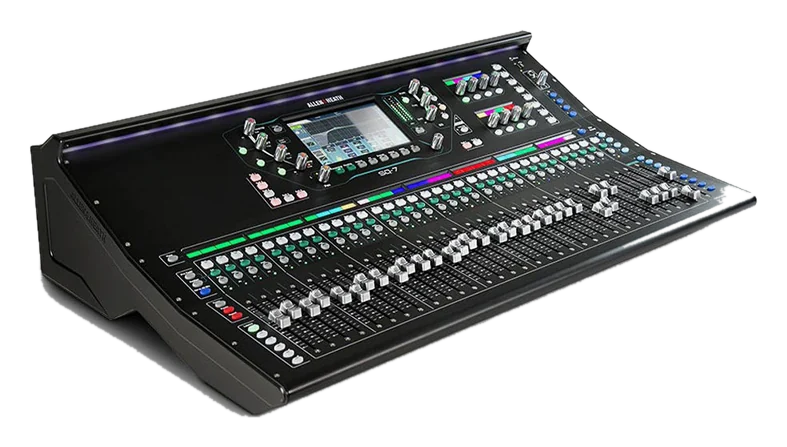
Showcaller AI gives you Allen & Heath SQ remote control for the SQ-5, SQ-6 and SQ-7, over the network, by voice or chat. So you keep your hands free instead of holding a tablet. For example, you can mute the audience mics for the video playback. Then you can bring up the panel's channels or add a little lectern into the in-ear mix. You can also ride a DCA or recall the scene for the next session.
Badges show the plan a group of Tool Functions is included from. Higher plans include everything below them. Compare plans
How it works
How it works with Allen & Heath SQ
Showcaller connects to the console through the Bridge App on your show network. It uses the SQ's own MIDI control over the network. On inputs, it controls mutes and faders into the main LR mix. It also rides the Main LR master and the Aux/Mix masters (1-12). Showcaller also sets each input's send to an Aux/Mix and to the four FX engines, plus the FX return levels. Beyond that, it handles the eight DCAs, the eight mute groups and the Soft Keys. Finally, it recalls scenes 1 to 300.
After a change, Showcaller reads the console back. It reports success only when the SQ agrees on mute states, fader levels and send levels in dB. We measured the level read-backs on a real SQ-5, and they matched. A scene recall replaces the live mix, so Showcaller asks you to confirm it first.
Two console settings matter. First, the SQ's MIDI channel must match the one you set in Showcaller. Second, set the console's NRPN fader law to Linear Taper, because that keeps levels in dB accurate. The FAQ below explains why. You can find the console itself on the Allen & Heath SQ product page.
Tool Functions
Every Tool Function for Allen & Heath SQ
Grouped by capability, with the plan each group is included from. Where the device reports its state, Showcaller reads the change back before calling it done.
Device DiagnosticsStarter1
Confirm your SQ console is online and answering on the network before the show starts. A single probe verifies the MIDI-over-TCP link end to end.
- Get statusCheck that the SQ console is answering by reading back its Main LR mute state.
Channel Fader & MuteStarter4
React instantly during live events: mute a rogue microphone or ride a specific input fader on the SQ without touching the surface, with read-back of the live state.
- Get input faderRead an input channel's fader level into the main LR mix.
- Get input muteRead whether an input channel is muted.
- Set input faderSet an input channel's fader level into the main LR mix.
- Set input muteMute or unmute an input channel (1-48).
Main & Aux OutputsStarter8
Command the master output of the event and every monitor world. Ride the Main LR fader, hit the main mute during changeovers, and level Aux/Mix masters for talent feeds.
- Get AUX faderRead the master fader level of an Aux/Mix output (1-12).
- Get AUX muteRead whether an Aux/Mix output is muted.
- Get main faderRead the Main LR master fader level.
- Get main muteRead whether the Main LR output is muted.
- Set AUX faderSet the master fader level of an Aux/Mix output (1-12), such as a monitor or in-ear mix.
- Set AUX muteMute or unmute an Aux/Mix output (1-12).
- Set main faderSet the Main LR master fader level.
- Set main muteMute or unmute the Main LR output.
Mix Sends & FX RoutingPro6
Build and tweak complex monitor and effects routing remotely — set how much of each input feeds an Aux/Mix or an FX engine, and balance the effects returns into the main mix.
- Get FX return faderRead the level of an FX return (1-8) into the main LR mix.
- Get input send to AUXRead how much of an input channel is being sent to an Aux/Mix bus.
- Get input send to FXRead how much of an input channel is being sent to one of the four FX engines.
- Set FX return faderSet the level of an FX return (1-8) into the main LR mix.
- Set input send to AUXSet how much of an input channel is sent to an Aux/Mix bus, such as a monitor wedge or in-ear mix.
- Set input send to FXSet how much of an input channel is sent to one of the four FX engines, such as a reverb or delay.
DCA & Mute GroupsPro6
Simplify large-scale mixing: ride or mute whole groups of sources with a single DCA command, or silence a set of channels instantly with a mute group during transitions.
- Get DCA faderRead a DCA master fader level (1-8).
- Get DCA muteRead whether a DCA master is muted.
- Get mute groupRead whether a Mute Group is muted.
- Set DCA faderSet a DCA master fader level (1-8).
- Set DCA muteMute or unmute a DCA master (1-8).
- Set mute groupMute or unmute a Mute Group (1-8), silencing every channel assigned to it.
Scene & Soft KeysEnterprise2
Transition perfectly between show segments: recall a stored SQ scene in an instant, or fire a Soft Key's assigned function — tap tempo, scene step, talkback — from the dashboard.
- Press soft keyPress one of the console's assignable Soft Keys, firing whatever it is set to do (keys 1-8 on the SQ-5, 1-16 on the SQ-6 and SQ-7).
- Recall sceneRecall a saved console scene (1-300), replacing the live mix with the stored settings.
Compatibility
Supported models
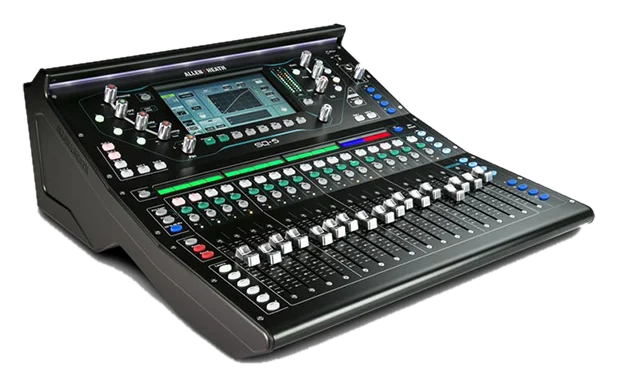
 Allen & Heath SQ-5Hardware · SQRemote fader, mute, and scene control for the compact SQ-5 console.
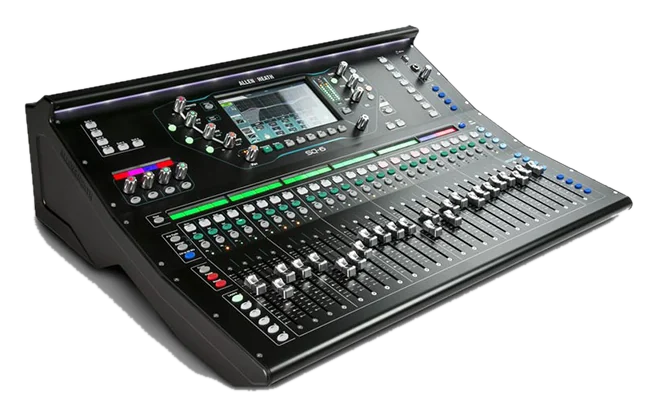
 Allen & Heath SQ-6Hardware · SQAI-driven control of the SQ-6 digital mixing console.
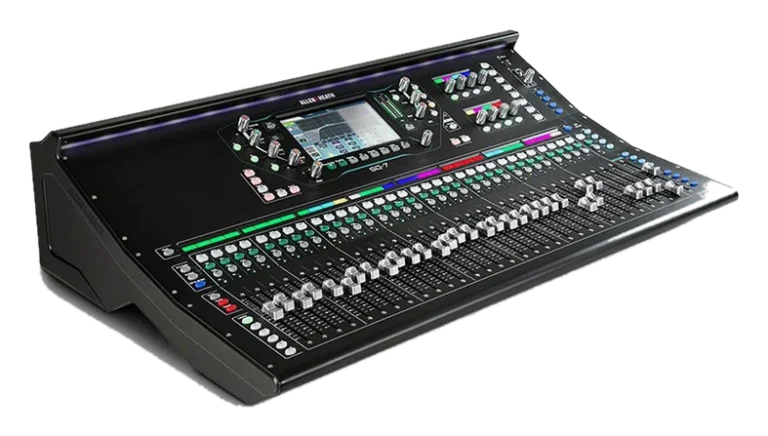
 Allen & Heath SQ-7Hardware · SQFull remote orchestration for the flagship SQ-7 console.
FAQ
Questions about Allen & Heath SQ control
Which consoles are supported?
Showcaller supports the Allen & Heath SQ-5, SQ-6 and SQ-7.
What do I need to set up on the console?
Go to Utility > General > MIDI on the console. Note the SQ's MIDI channel, which is 1 by default. Then set the NRPN fader law to Linear Taper. Showcaller needs the console's IP address (TCP port 51325) and the matching MIDI channel. You also need the Showcaller Bridge App on a computer on the same network.
Which plan includes which Tool Functions?
Starter includes Device Diagnostics, Channel Fader & Mute, and Main & Aux Outputs (13 Tool Functions). Pro adds Mix Sends & FX Routing and DCA & Mute Groups (12 more). Enterprise then adds Scene & Soft Keys (2 more). Each plan includes every Tool Function of the plans below it. See pricing for the plans.
Why does the fader law matter?
Showcaller converts dB values using the Linear Taper law. However, the console may use another fader law. In that case, the levels Showcaller sets and reads will not match what you asked for.
Does Showcaller confirm the change on the console?
Yes. Showcaller reads mutes and levels back from the SQ after each change. When they do not match, it tells you.