Allen & Heath SQ-6
Showcaller AI runs the Allen & Heath SQ-6 by voice or chat, over the console's own network MIDI control. It covers mutes, faders, Aux mixes, DCAs and mute groups. It also presses all 16 SoftKeys and recalls scenes.
Overview
The Allen & Heath SQ-6 with Showcaller
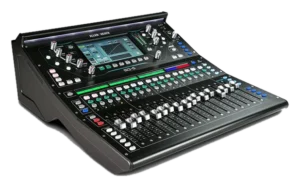
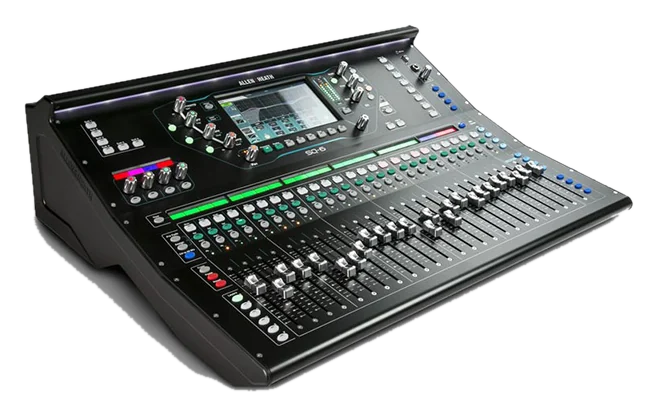
The Allen & Heath SQ-6 is the mid-size console in the SQ range. It mixes 48 input channels at 96kHz, with 24+1 motorized faders on 6 layers. It has 24 local mic inputs and 14 XLR line outputs. There are also 16 assignable SoftKeys and 4 assignable Soft Rotaries around its 7-inch touchscreen. Like every SQ, it has 12 stereo mixes plus LR, 3 stereo matrices and 8 stereo FX engines. Showcaller AI controls the Allen & Heath SQ-6 by voice or chat over its Ethernet port.
How Showcaller connects to the Allen & Heath SQ-6
The connection runs through the Showcaller Bridge App on your show network. It uses the SQ’s own MIDI control over TCP port 51325. Before the show, check the console’s MIDI channel under Utility, General, MIDI. Also set the NRPN fader law to Linear Taper, so dB levels stay accurate. Then the crew can ask unmute the panel or main down 3 dB. For example, a monitor request can be more of the host in Aux 5. Showcaller reads mutes and levels back after each change and reports any mismatch. See the Allen & Heath SQ integration page for every Tool Function.
SoftKeys and Soft Rotaries on the SQ-6
The SQ-6 has 16 SoftKeys, twice as many as the SQ-5. Showcaller can press any of them, from 1 to 16, on the Enterprise plan. So a key set for talkback, tap tempo or a scene step works from chat. However, the 4 Soft Rotaries are not part of the Tool Functions. Showcaller does not turn them. In practice, assign the actions you want Showcaller to fire to SoftKeys instead.
Tool Functions by plan
Starter covers input mutes and faders into the main LR mix. It also covers the Main LR master and the 12 Aux/Mix masters. Pro adds Aux sends, sends to FX 1 to 4 and the FX return levels. It also adds the 8 DCAs and the 8 mute groups. Enterprise then adds SoftKeys and scene recall from 1 to 300. A recall replaces the live mix, so Showcaller asks you to confirm it first. For full specs, see Allen & Heath’s SQ-6 product page.
What you can do
Run the Allen & Heath SQ-6 by voice or chat
All 16 SoftKeys
Press SoftKeys 1-16 by voice or chat, firing whatever each key is set to do on the SQ-6 (Enterprise).
Mutes and levels, read back
Mute inputs and ride input faders, the Main LR master and the 12 Aux/Mix masters (Starter). Mutes and levels are read back after each change.
Monitor and FX sends
Set each input's send to an Aux/Mix and to FX 1-4, and set FX return levels (Pro).
DCAs and mute groups
Ride and mute the 8 DCAs, and mute or unmute the 8 mute groups (Pro).
Scene recall, confirmed first
Recall scenes 1 to 300 on the Enterprise plan, after you confirm.
Specifications
Allen & Heath SQ-6 at a glance
Mixing
- Input channels
- 48 (96kHz XCVI FPGA engine)
- Mixes
- 12 stereo mixes (Aux or Group) + LR, 3 stereo matrices; 36 busses in total
- FX
- 8 stereo FX engines with dedicated stereo returns
- DCA / mute groups
- 8 DCA groups, 8 mute groups
- Scenes
- 300 scene memories per show
I/O
- Local inputs
- 24 mic inputs (XLR) + talkback, 2 stereo 1/4" inputs, 1 stereo 3.5 mm input
- Local outputs
- 14 XLR + 2 TRS line outputs, AES digital output
- Expansion
- SLink port for remote audio; 64x64 I/O port for Dante, Waves, MADI or SLink cards
- USB
- 32x32 96kHz USB audio interface; SQ-Drive recording to USB
Control & network
- Faders
- 24+1 motorized faders on 6 layers
- Assignable controls
- 16 SoftKeys, 4 Soft Rotaries
- Display
- 7" capacitive touchscreen
- Network port
- Fast Ethernet (100 Mbit/s), MIDI over TCP/IP control
- Manufacturer apps
- SQ MixPad, SQ4You
Physical
- Dimensions (W x D x H)
- 638 x 514.9 x 198 mm (25.1 x 20.3 x 7.8")
- Weight / power
- 14.5 kg (32 lbs) / 90 W max
From Allen & Heath
- Product pageOfficial product page and full specificationsallen-heath.com (opens Allen & Heath’s site in a new tab)
- Support and downloadsFirmware, software and manualssupport.allen-heath.com (opens Allen & Heath’s site in a new tab)
- DatasheetPDF from the manufacturerallen-heath.com (opens Allen & Heath’s site in a new tab)
Specifications from the manufacturer. Check the product page for the current details.
Connection
Connecting the Allen & Heath SQ-6
- Control protocol
- The SQ's own MIDI control over TCP/IP, through the Showcaller Bridge App. The Bridge App runs on a computer on the same network as the console.
- Port
- TCP 51325
- Console connection
- The SQ-6's Ethernet network port, which Allen & Heath provides for MIDI over TCP/IP control and the mixing apps. Put it on the same network as the Bridge App computer.
- Console settings
- Under Utility > General > MIDI, note the MIDI channel (1 by default) and set the NRPN fader law to Linear Taper.
- What Showcaller asks for
- The console's IP address, the matching MIDI channel and the model (Allen & Heath SQ-6)
- Model family in Showcaller
- SQ (shared by SQ-5, SQ-6 and SQ-7)
- Connection check
- The Get status Tool Function reads back the Main LR mute state. That confirms the console is answering.
Tool Functions
Everything Showcaller can do with Allen & Heath SQ
The Allen & Heath SQ-6 uses the Allen & Heath SQ integration. Each group shows the plan it is included from.
FAQ
Questions about the Allen & Heath SQ-6
Can Showcaller press all 16 SoftKeys on the SQ-6?
Yes, on the Enterprise plan. Showcaller presses SoftKeys 1 to 16, and each press fires whatever the key is set to do.
Can Showcaller turn the SQ-6 Soft Rotaries?
No. The Soft Rotaries are not part of the SQ Tool Functions. Assign the action to a SoftKey if you want Showcaller to fire it.
Does Showcaller confirm changes on the SQ-6?
Yes, for mutes and levels. Showcaller reads them back from the console after each change and tells you when they do not match.
Why does the NRPN fader law matter?
Showcaller converts dB values with the Linear Taper law. If the console uses another fader law, the levels Showcaller sets and reads will not match what you asked for.
Which Showcaller plan do I need?
Starter covers diagnostics, input faders and mutes, and the Main LR and Aux/Mix masters (13 Tool Functions). Pro adds Aux and FX sends, FX returns, DCAs and mute groups (12 more). Enterprise adds SoftKeys and scene recall (2 more). Each plan includes the Tool Functions of the plans below it.
Same integration
Other Allen & Heath SQ models
 Allen & Heath SQ-5Model page
 Allen & Heath SQ-7Model page