BirdDog 4K HDMI NDI converter
Showcaller AI controls a BirdDog 4K HDMI by voice or chat. It connects the decoder to an NDI source, changes encode settings and NDI transport, and reboots a stuck unit.
Overview
The BirdDog 4K HDMI NDI converter with Showcaller
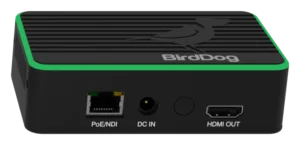
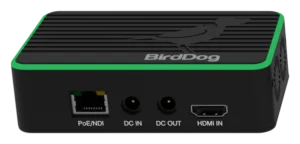
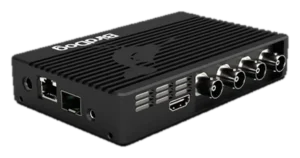
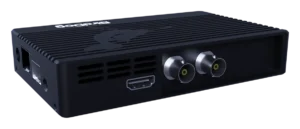
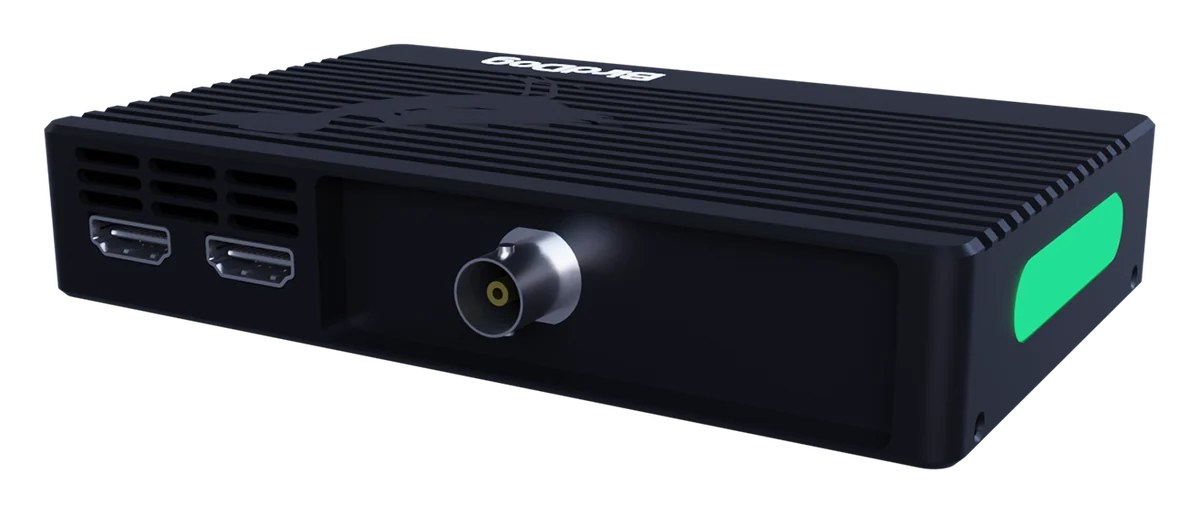
The BirdDog 4K HDMI turns an HDMI source into NDI, or an NDI stream back into HDMI. It has an HDMI 2.0 input and an HDMI 2.0 output. It also has one 12G-SDI connector that works as an input or an output. So a laptop or camera can go onto the network with an SDI loop out. Showcaller AI connects to the BirdDog 4K HDMI through the Bridge App on your show network. Then the crew asks for changes by voice or chat. The BirdDog NDI converter integration page lists every Tool Function.
Sources on the BirdDog 4K HDMI
On a decoder, the useful question is what is on the screen. Showcaller answers it with the connected source and the decode link status. Next, it lists the NDI sources the converter can see. Then it puts one on the decoder by name, for example “the lectern laptop”. Because a switch changes the picture, Showcaller asks you to confirm it first. After that, it reads the decode status to check the switch. When a source is missing, it refreshes the list on the converter. These functions are in every plan.
HDMI to NDI encode settings
From the Pro plan, Showcaller reads and changes encode and decode settings. For encoding, BirdDog lists the stream name, bitrate mode, video format, color bit depth, tally and NDI audio. Showcaller also sets the NDI group name, the discovery server and off-subnet sources. In addition, it sets the NDI transport, such as TCP, UDP or multicast. It switches the video output interface between SDI and HDMI, too. After a change, it reads back the group name, discovery server, output interface and analog audio. Meanwhile, encode settings and transport are reported as the converter answered.
Mode and recovery
Showcaller reads whether the converter is in encode or decode mode. However, BirdDog reports that mode switching over its API does not work on this model. So set the mode on the BirdUI web page instead. With Enterprise, Showcaller resets the NDI source list, restarts the video engine or reboots the unit. It asks you before each step. BirdDog also names the 4K HDMI as the successor to the Flex 4K IN. For full specs, see BirdDog’s 4K Family page.
What you can do
Run the BirdDog 4K HDMI NDI converter by voice or chat
Put a source on screen
List the NDI sources the converter sees and connect the decoder to one by name. Showcaller confirms first, then checks the decode status. Starter.
Know what is playing
Read the connected source and the decode link status. Refresh the source list when one is missing. Starter.
Encode and decode settings
Read or change encode settings, decode settings and the NDI transport for each direction. Pro.
Groups, discovery and output
Set the NDI group name, discovery server, off-subnet sources and SDI or HDMI output. Pro.
Recovery steps
Reset the NDI source list, restart the video engine or reboot the converter, after you confirm. Enterprise.
Specifications
BirdDog 4K HDMI NDI converter at a glance
Video
- Video connectors
- 1 x HDMI 2.0 input; 1 x HDMI 2.0 output; 1 x 12G-SDI, selectable as input or output
- Video formats
- UHD 3840x2160 and HD 1080p at 23.98 to 60 fps; 1080i at 50 and 59.94; 720p at 50, 59.94 and 60
- NDI codecs
- NDI full bandwidth (i-frame) and NDI HX2/HX3
- Cross converter
- Any HDMI 2.0 input can be looped out of the 12G-SDI port
Audio
- HDMI audio
- 2 channels, 48 kHz, in and out
- 3.5 mm audio
- Microphone input and stereo headphone output for BirdDog Comms
Control & network
- Network
- RJ45 1000BaseT with PoE, plus an open SFP+ cage for 10GbE (SFP+ modules sold separately)
- Status and tally
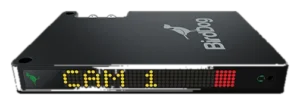
- 4-line OLED status display, bi-color tally light, selectable tally border on loop outputs
- Configuration
- Embedded web panel (BirdUI) and BirdDog RESTful API
Physical
- Size and weight
- 135 x 85 x 25 mm; 260 g
- Power
- 12 V DC (16 W) or PoE+ (802.3at)
Specifications from the manufacturer. Check the product page for the current details.
Connection
Connecting the BirdDog 4K HDMI NDI converter
- Control protocol
- BirdDog's RESTful API over HTTP on port 8080, through the Showcaller Bridge App. The API needs no password.
- What Showcaller needs
- The converter's IP address, shown on its OLED display, and the model BirdDog HDMI4K.
- Network
- Connect the converter to the same network as the computer running the Bridge App. Port 80 is the BirdUI web page; Showcaller uses port 8080.
- Firmware
- Built on BirdDog's REST API 2.0. Showcaller reads the firmware version when it connects.
- First check
- Showcaller runs Get device info, then lists the NDI sources the converter can see.
Tool Functions
Everything Showcaller can do with BirdDog NDI Converter
The BirdDog 4K HDMI NDI converter uses the BirdDog NDI Converter integration. Each group shows the plan it is included from.
FAQ
Questions about the BirdDog 4K HDMI NDI converter
Can Showcaller switch the source on a BirdDog 4K HDMI decoder?
Yes, in every plan. Ask for a source by its NDI name. Showcaller asks you to confirm, connects the decoder, and reads the decode status to check the switch.
Can Showcaller change a BirdDog 4K HDMI from encode to decode?
No. BirdDog reports that mode switching over its API does not work on this model. Change the mode on the BirdUI web page. Showcaller can still tell you which mode the converter is in.
Can Showcaller set the color bit depth or bitrate?
Yes, from the Pro plan, through the encode settings. BirdDog's API offers 8-bit or 10-bit color and a bitrate mode on the 4K HDMI. These changes are reported as the converter answered.
Is the 4K HDMI the same as the 4K SDI in Showcaller?
The Tool Functions are the same. The connectors differ: the 4K HDMI has an HDMI input and output and one 12G-SDI connector. The 4K SDI has two 12G-SDI connectors and an HDMI output.
Which plan do I need for a reboot?
Enterprise. It adds resetting the NDI source list, restarting the video engine and rebooting the converter. Showcaller asks you before each of these steps.
Same integration
Other BirdDog NDI Converter models
 BirdDog Flex DecodeModel page
 BirdDog Flex EncodeModel page
 BirdDog PlayModel page
 BirdDog QUADModel page
 BirdDog SDI4KModel page
 BirdDog StudioModel page