
Dante Domain Manager
Voice-controlled Dante audio routing, device enrollment, and clocking via the Dante Domain Manager GraphQL API.
10 Tool Functions · 4 capabilities · 1 supported version
Capabilities
Everything Showcaller can do with Dante Domain Manager
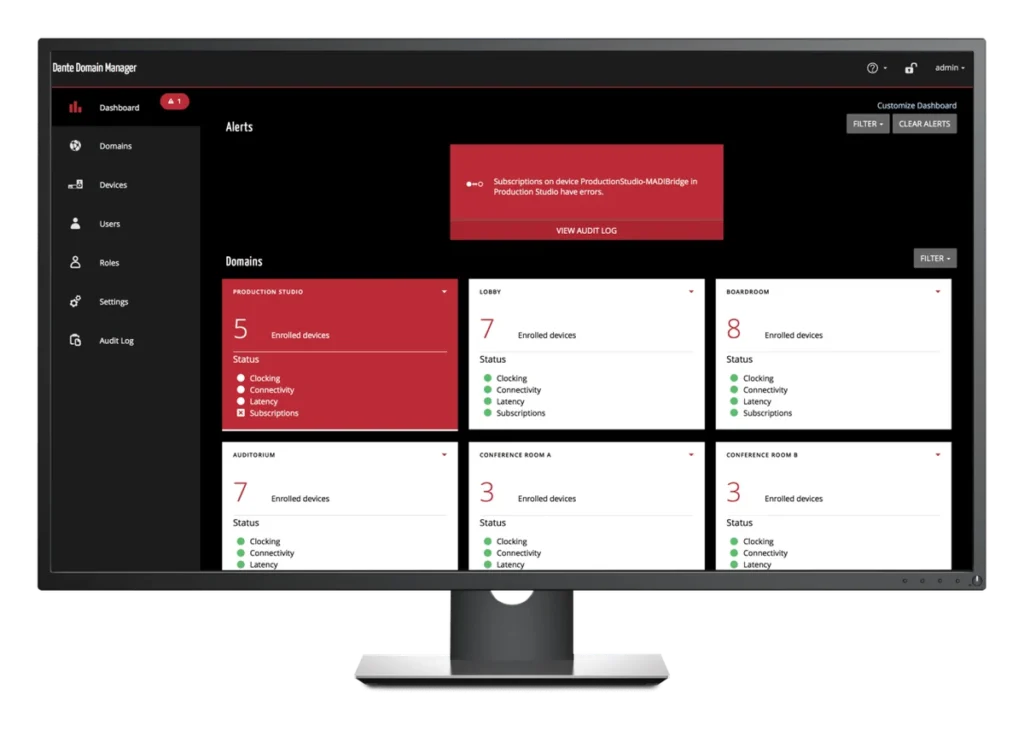
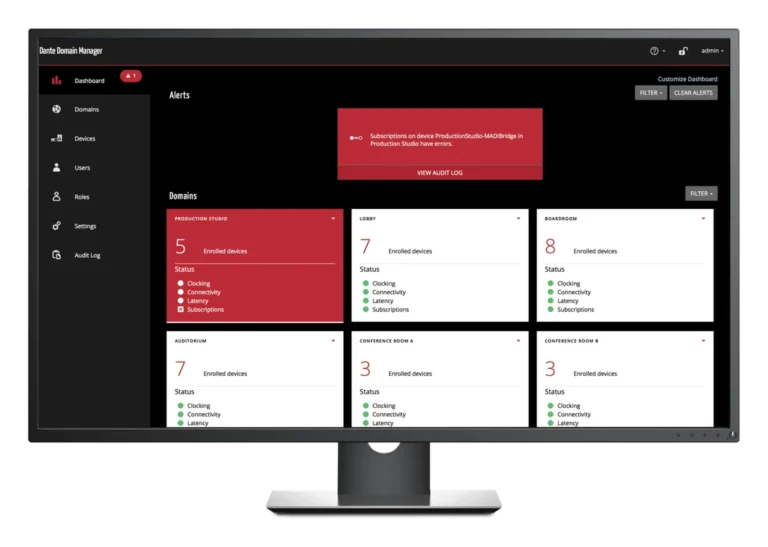
Does Dante Domain Manager (DDM) manage your Dante network? Then Showcaller AI works through it, by voice or chat. Ask which devices are in a domain, or which source a receive channel listens to. You can also ask which Dante devices are on the network but not enrolled yet. Then route audio by device and channel name.
Badges show the plan a group of Tool Functions is included from. Higher plans include everything below them. Compare plans
How it works
How it works with Dante Domain Manager
Showcaller reads every domain on the Domain Manager and the devices enrolled in each. It also reads each device's connection and clock state, and every receive channel's subscription. It can subscribe a receive channel to a named source device and channel. That works even while the source is offline, so you can set up routes ahead of a changeover. It can also set or clear many routes on one device in a single step. That makes it a quick way to recall a routing plan.
For network administration, Showcaller can enroll newly discovered devices into a domain. It can optionally clear their old settings at the same time. When you repurpose gear, it can unenroll those devices. It can also switch unicast clocking on or off for devices that support it. That helps on networks where multicast clocking has limits. Showcaller confirms enrolling, unenrolling, clearing a route and clocking changes with you first.
Showcaller reaches the Domain Manager through the Bridge App on your show network. It uses an API key that you create in DDM. Afterwards, Showcaller checks some changes against the Domain Manager, such as enrollment. For others, it reports what DDM answered. For Dante networks without a Domain Manager, see the Dante Network integration (listed as Dante Controller). You can also read about DDM on the Dante site.
Tool Functions
Every Tool Function for Dante Domain Manager
Grouped by capability, with the plan each group is included from. Where the device reports its state, Showcaller reads the change back before calling it done.
Domain & Device StatusStarter4
Surface the live topology of a managed Dante network: every domain, the devices enrolled in it, each device's online and clock state, and the per-channel subscription map. These read tools give the AI the ground truth it needs before routing audio, and feed Showcaller's Digital Twin so operators see device presence and clock roles update in real time.
- Get device RX channelsList one device's receive channels and what each one is subscribed to, with its status.
- Get domainShow one Dante domain in full: each device's connection and clock state and what every receive channel is subscribed to.
- List domainsList every Dante domain on the Domain Manager with the devices in each.
- List unenrolled devicesList the Dante devices the Domain Manager can see that are not yet enrolled in any domain.
Audio RoutingStarter3
Route audio across a managed Dante network with a single command. Subscribe any receive channel to a transmitter by device and channel name — the way Dante itself resolves routing, so subscriptions survive device swaps and channel renames. Clear or batch-set subscriptions to recall a routing scene, all verified against the live domain.
- Clear channel subscriptionRemove the audio route from one receive channel.
- Set channel subscriptionRoute audio by subscribing one receive channel to a named source device and channel, even while the source is offline, so routes can be set up ahead of time.
- Set device subscriptionsSet or clear many receive-channel routes on one device in a single step.
Device EnrollmentEnterprise2
Onboard and offboard Dante hardware against a managed domain. Enroll newly-discovered devices into the right domain — optionally clearing their prior configuration to a clean baseline — or unenroll them when gear is repurposed. Network-affecting operations are confirmation-gated so they never fire by accident mid-show.
- Enroll devicesEnroll one or more devices into a managed Dante domain, optionally clearing their existing settings.
- Unenroll devicesRemove one or more devices from their Dante domain, optionally clearing their settings.
ClockingPro1
Tune Dante's PTP clock distribution per device. Enable unicast clocking on capable devices for networks where multicast clocking is constrained, keeping the audio clock locked across the domain. Applied through the DDM and reflected back in each device's clock state.
- Set unicast clockingSwitch unicast clocking on or off for a device, for networks where multicast clocking is limited; the device must support it.
Compatibility
Supported versions
 Dante Domain ManagerSoftware · 1.5+Managed Dante control via the Domain Manager GraphQL API.
FAQ
Questions about Dante Domain Manager
Which DDM versions are supported?
Showcaller supports DDM 1.5 and later.
What do I need to set up?
First, create an API key in the DDM web interface under Settings > API. Showcaller needs the DDM server's hostname or IP address and its port. The port is 443 unless you changed it. Showcaller also needs the API key and, optionally, a default domain. Finally, the Showcaller Bridge App must run on a computer that can reach the DDM server.
Which plan includes which Tool Functions?
Starter includes Domain & Device Status and Audio Routing (7 Tool Functions). Pro adds Clocking, which sets unicast clocking per device (1 more). Enterprise adds Device Enrollment to enroll and unenroll devices (2 more). Each plan includes every Tool Function of the plans below it. You can compare plans on the pricing page.
Do routes survive a device swap?
Yes, when the new device keeps the same name. Dante routes by device name and channel name, not by internal ID. So a replacement device with the same name picks up the same subscriptions.