
Sennheiser EW-DX
Control and monitor Sennheiser EW-DX receivers (EM 2, EM 2 Dante, EM 4 Dante): mutes, gain, frequencies and channel names.
14 Tool Functions · 5 capabilities · 3 supported models
Capabilities
Everything Showcaller can do with Sennheiser EW-DX
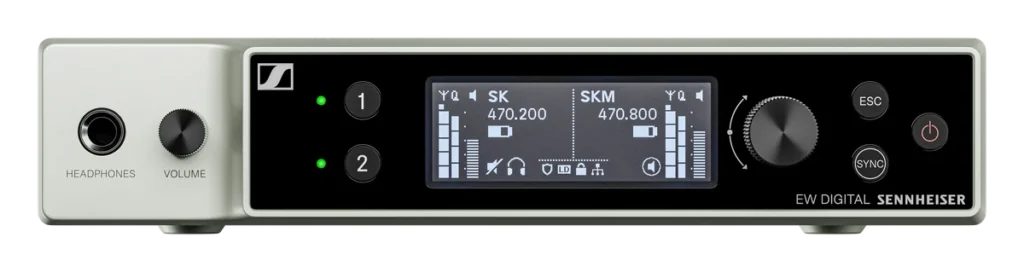
Sennheiser EW-DX remote control from Showcaller AI lets you monitor and control receivers by voice or chat. It works over your local network with Evolution Wireless Digital (EW-DX) receivers. For example, mute a receiver output before a presenter walks off with a live mic. Then bring it back for the next session. You can also trim a channel's gain. Or give each channel the presenter's name, so everyone knows who is on which mic.
Badges show the plan a group of Tool Functions is included from. Higher plans include everything below them. Compare plans
How it works
How it works with Sennheiser EW-DX
Showcaller connects to each receiver through the Bridge App on your show network. It reads each channel's name, mute state, gain and output level. It also reads the transmitter linked to each channel. That means its type, name and firmware, plus its mute and lock state. When you need a new frequency, Showcaller can read or change a channel's operating frequency in kHz. However, it confirms a retune with you before it sends it.
Showcaller reads every mute, frequency and channel name change back from the receiver before it reports it done.
What Sennheiser EW-DX remote control cannot do matters on wireless, so here it is plainly. The EW-DX network interface does not offer RF scans or automatic frequency setup. It also has no squelch control, no transmitter mute or lock changes and no device renaming. Battery and RF level readings are missing too, so Showcaller does not offer any of these. Instead, mute happens at the receiver output. Showcaller reads the transmitter lock but does not change it.
Showcaller supports the EW-DX EM 2, EM 2 Dante and EM 4 Dante receivers on firmware 4.x or later. Before you start, switch on third-party network access in each receiver. The FAQ below explains how. For the receiver itself, see Sennheiser's EW-DX EM 2 page.
Tool Functions
Every Tool Function for Sennheiser EW-DX
Grouped by capability, with the plan each group is included from. Where the device reports its state, Showcaller reads the change back before calling it done.
Device DiagnosticsStarter3
Confirm Showcaller can reach each EW-DX receiver and read its product type and serial number. Check every channel's name, mute, gain and output level, and the transmitter linked to it: its type, name, firmware, mute and control lock. Battery and RF signal levels are not read.
- Get channel statusRead the name, mute, gain and output level of a specific receiver channel.
- Get device infoRetrieve the EW-DX receiver's identity: product type, hardware revision, serial number and vendor.
- Get transmitter statusRead the status of the transmitter linked to a specific receiver channel.
Mute ControlStarter3
Mute or unmute any receiver output from Showcaller, for example to silence a channel feeding the mixing desk, and check whether each output is muted. Every mute change is read back from the receiver. Showcaller cannot mute a transmitter itself: the EW-DX network interface has no command for it.
- Get channel mute stateRead the current mute state of a specific receiver channel output.
- Mute channelMute the audio output of a specific receiver channel on the EW-DX rack unit.
- Unmute channelUnmute the audio output of a specific receiver channel on the EW-DX rack unit, restoring the channel's line-level audio output.
Audio Gain ControlPro2
Perfectly align your audio signal chain. Use natural language AI commands to fetch the current receiver output gain or apply precision adjustments in decibels to optimize the feed entering your audio infrastructure.
- Get channel gainRead the current receiver channel gain (in dB) for a specific channel.
- Set channel gainSet the receiver channel gain (in dB) for a specific channel.
Channel & Frequency ManagementPro5
Give each receiver channel a recognisable name, such as the performer's, and read or change its operating frequency in kHz. Showcaller asks you to confirm before it retunes a channel, and reads the new name or frequency back from the receiver. You can also read the receiver's own device name.
- Get channel frequencyRead the current operating frequency (in kHz) set on a specific receiver channel.
- Get channel nameRead the name (label) assigned to the radio link on a specific receiver channel.
- Get device nameRead the current name assigned to the EW-DX receiver device.
- Set channel frequencySet the operating frequency (in kHz) for a specific receiver channel.
- Set channel nameSet the name (label) for the radio link on a specific receiver channel.
Transmitter Lock ControlPro1
See whether the buttons and controls on each linked transmitter (body pack or handheld) are locked, so you know a performer cannot change settings mid-show. The lock is set on the transmitter, or when it is next synced to the receiver; Showcaller reads it but does not change it.
- Get TX lock modeRead the current lock state of the transmitter (body pack or handheld) linked to a specific receiver channel.
Compatibility
Supported models
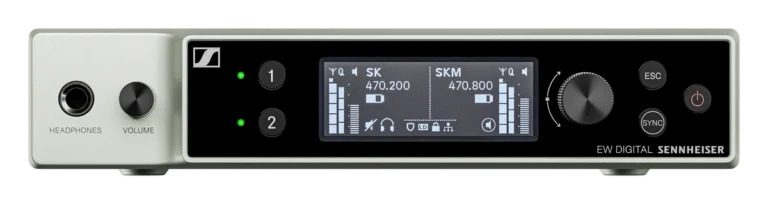
 EW-DX EM 2Hardware · Firmware 4.x+Manage two channels of digital wireless audio: mutes, gain, frequencies and channel names.
- EW-DX EM 2 DanteHardware · Firmware 4.x+Manage two channels of digital wireless audio with Dante output: mutes, gain, frequencies and channel names.
 EW-DX EM 4 DanteHardware · Firmware 4.x+Manage four channels of digital wireless audio: mutes, gain, frequencies and channel names.

FAQ
Questions about Sennheiser EW-DX remote control
Which EW-DX receivers are supported?
Showcaller supports the EW-DX EM 2, EM 2 Dante and EM 4 Dante receivers. They need firmware 4.x or later.
What do I need to set up on the receiver?
Third-party network access (SSCv2) is off by default on EW-DX receivers. So first, turn it on in Sennheiser Control Cockpit or in the receiver's own web interface. You find it under the network or third-party access settings. Then set a password. Showcaller needs the receiver's IP address and that password. The username is always "api". Also, the Showcaller Bridge App must run on a computer on the same network.
Which plan includes which Tool Functions?
Starter includes Device Diagnostics and Mute Control. That covers receiver identity, channel and transmitter status, and receiver output mute. Pro adds Audio Gain Control and Channel & Frequency Management, such as channel names and frequencies. It also adds reading the transmitter lock state. There are no Enterprise-only functions for EW-DX. Each plan includes every Tool Function of the plans below it. See pricing for the plans themselves.
Can Showcaller run an RF scan or check battery levels?
No. The EW-DX network interface has no RF scan or automatic frequency setup. So Showcaller does not run an RF scan on EW-DX. The interface also has no battery or RF level readings, so Showcaller cannot offer them. For battery monitoring over the network, see the Shure Wireless integration for ULX-D, QLX-D and SLX-D.
Can Showcaller mute the transmitter itself?
No. The EW-DX network interface does not offer transmitter mute. Instead, Showcaller mutes the receiver output.