
Shure Wireless
Full TCP/IP control and monitoring for Shure wireless microphone receivers including ULX-D, QLX-D, and SLX-D series. Manage channels, battery life, gain, and RF.
19 Tool Functions · 7 capabilities · 6 supported models
Capabilities
Everything Showcaller can do with Shure Wireless
Shure wireless monitoring with Showcaller AI tells you the state of every mic before it becomes a problem. It connects to Shure ULX-D, QLX-D and SLX-D receivers over your local network. Then it answers the questions an A2 asks all show long, by voice or chat. For example, how many minutes are left on the lectern pack? What gain is channel 2 at, and what frequency is channel 3 on?
Badges show the plan a group of Tool Functions is included from. Higher plans include everything below them. Compare plans
How it works
How it works with Shure Wireless
Showcaller connects to each receiver through the Bridge App on your show network. In one request, it reads the full status of every channel on a receiver. For each channel, it shows the transmitter's battery as bars and the estimated runtime in minutes. On ULX-D and QLX-D, it also reads the charge percentage and battery health of Shure rechargeables.
Showcaller can also set output gain from -18 to +42 dB in 1 dB steps and name channels. On ULX-D, it can mute and unmute a receiver's audio output without dropping the RF link to the performer.
For frequency work, Showcaller reads each channel's operating frequency and its Group and Channel assignment. It can then move a channel to a new frequency or Group/Channel, using Shure's own coordinated frequency sets. However, it confirms frequency changes with you first. Showcaller reads most changes back from the receiver before it reports them done.
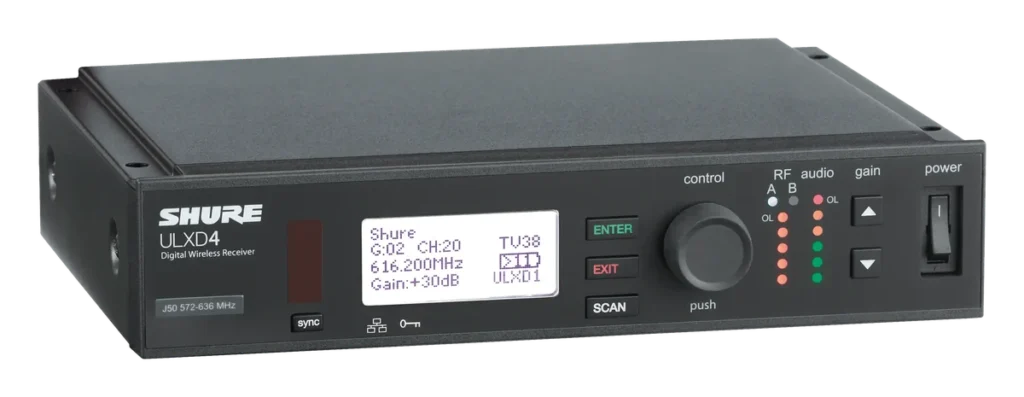
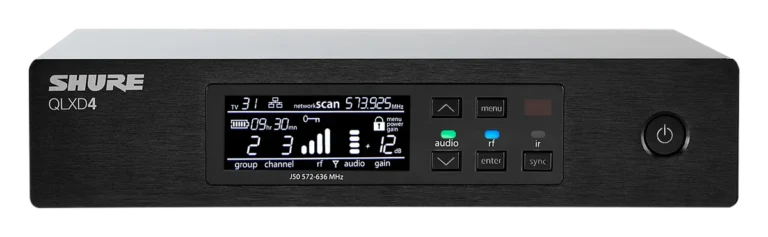
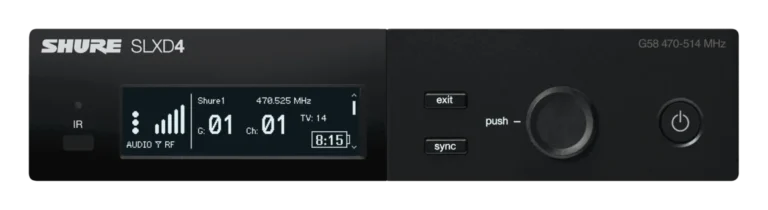
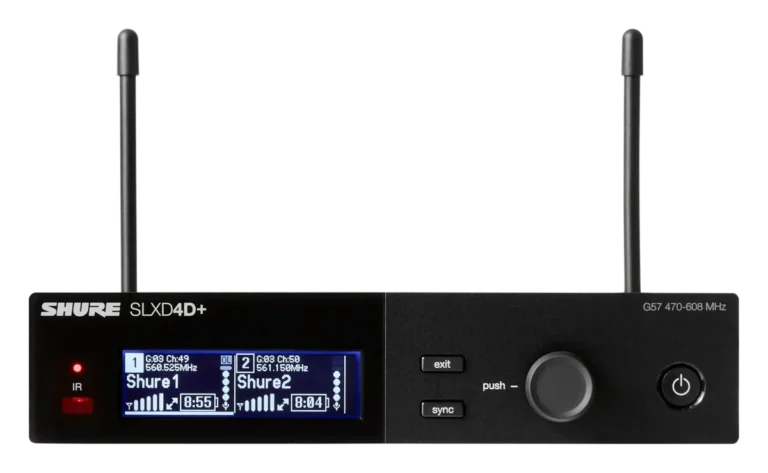
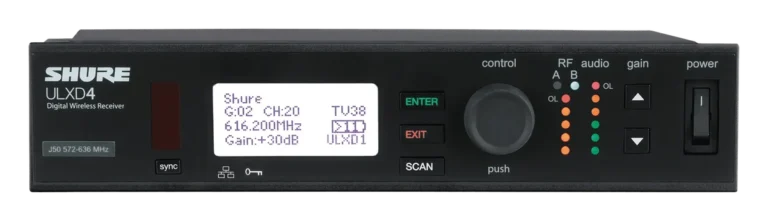
To find a unit in a rack of identical receivers, Showcaller can flash its front-panel lights. This works on ULX-D and SLX-D, but not on QLX-D. Showcaller supports the ULXD4, ULXD4D and ULXD4Q, the QLXD4, and the SLXD4 and SLXD4D. Shure lists the hardware details on its ULX-D product page.
Tool Functions
Every Tool Function for Shure Wireless
Grouped by capability, with the plan each group is included from. Where the device reports its state, Showcaller reads the change back before calling it done.
Device DiagnosticsStarter2
Perform rapid system health checks across your Shure network. Verify firmware versions, confirm connectivity, and fetch a unified overview of all channel states simultaneously to ensure your wireless infrastructure is show-ready.
- Get all channelsRetrieve the full status of all channels on the Shure wireless receiver in a single call.
- Get firmware versionRetrieve the firmware version of the Shure wireless receiver.
Mute ControlStarter3
Instantly respond to rogue mic handling or transition cues. Remotely mute or unmute individual receiver channels on ULX-D receivers, silencing the XLR/TRS output without dropping the critical RF link to the performer. QLX-D and SLX-D have no remote mute.
- Get channel muteRead the current mute state of a specific channel on the Shure wireless receiver.
- Mute channelMute the audio output of a specific channel on the Shure wireless receiver.
- Unmute channelUnmute the audio output of a specific channel on the Shure wireless receiver, restoring the XLR/TRS line output signal.
Battery MonitoringStarter4
Never guess how much battery is left. Showcaller brings exact battery bar indicators, estimated runtime in minutes, and (for applicable models) precise percentage charge directly to your team so you can proactively swap packs before dropouts occur.
- Get battery barsRead the transmitter battery level as a bar indicator (0–5 bars) for a specific channel.
- Get battery chargeRead the transmitter battery charge percentage (0–100%) for a specific channel.
- Get battery healthRead the long-term health of the transmitter battery for a specific channel, expressed as a percentage of original capacity remaining (0–100%).
- Get battery runtimeRead the estimated remaining battery runtime in minutes for the transmitter on a specific channel.
Audio Gain ControlPro2
Perfect your gain staging instantly. Read and adjust the audio output gain per channel from -18 dB to +42 dB in 1 dB steps directly from the Showcaller interface, ensuring consistent signal levels into the mixing console.
- Get channel gainRead the current audio output gain for a specific channel on the Shure wireless receiver.
- Set channel gainSet the audio output gain for a specific channel on the Shure wireless receiver.
Channel NamingPro2
Keep large setups organized by remotely assigning readable names—like 'VOCALIST' or 'MC-1'—to specific receiver channels. These names immediately sync back to the receiver hardware for clear identification by the front-of-house team.
- Get channel nameRead the user-defined name (label) assigned to a specific channel on the Shure wireless receiver.
- Set channel nameSet the user-defined name (label) for a specific channel on the Shure wireless receiver.
Frequency ManagementEnterprise4
Analyze and update your RF plan. Remotely check current operating frequencies or switch Group/Channel assignments to navigate around sudden interference, utilizing Shure's pre-coordinated intermodulation-free systems.
- Get channel frequencyRead the current RF operating frequency (in kHz) for a specific channel on the Shure wireless receiver.
- Get channel group chanRead the current Group and Channel assignment for a specific receiver channel.
- Set channel frequencySet the RF operating frequency for a specific channel on the Shure wireless receiver.
- Set channel group chanSet the Group and Channel assignment for a specific receiver channel using Shure's built-in frequency coordination system.
Device IdentifyEnterprise2
Find the right receiver fast: flash its front-panel LEDs from Showcaller so the unit stands out in a rack of identical receivers, then stop the flash once it is found (ULX-D and SLX-D, not QLX-D). On ULX-D and QLX-D you can also check whether each transmitter's power switch and menu are locked; the lock itself is set on the transmitter.
- Flash deviceEnable or disable the flash/identify function on the Shure wireless receiver.
- Get TX lock modeCheck whether a transmitter's power switch and menu are locked (ULX-D and QLX-D).
Compatibility
Supported models
 QLXD4 (Single Channel)Hardware · QLX-DControl QLX-D receivers with precision battery percentage and health reporting for Shure rechargeables.
 SLXD4 (Single Channel)Hardware · SLX-DMonitor SLX-D single-channel receivers including battery runtime and remote gain adjustment.
 SLXD4D (Dual Channel)Hardware · SLX-DDual-channel SLX-D control featuring independent channel naming and status monitoring.
 ULXD4 (Single Channel)Hardware · ULX-DRemote management for the ULXD4 single-channel receiver, featuring battery tracking and gain control.
 ULXD4D (Dual Channel)Hardware · ULX-DControl dual-channel ULXD4D receivers with independent monitoring of battery life and signal.
 ULXD4Q (Quad Channel)Hardware · ULX-DManage four channels of high-density ULX-D wireless with visibility into battery, frequency and channel names.


FAQ
Questions about Shure wireless monitoring
Which Shure receivers are supported?
Showcaller supports ULX-D (ULXD4, ULXD4D dual and ULXD4Q quad) and QLX-D (QLXD4). It also supports SLX-D (SLXD4 and SLXD4D dual).
What do I need to connect a receiver?
You need the receiver's IP address. It shows on the front panel under the Network menu. You also need the Showcaller Bridge App on a computer on the same network. Receivers accept control connections on port 2202 without a password. However, on newer firmware some models need third-party network control switched on. You can do that in Wireless Workbench or in the receiver's web interface.
Which plan includes which Tool Functions?
Starter includes Device Diagnostics, Mute Control and Battery Monitoring. Pro adds Audio Gain Control and Channel Naming. Enterprise then adds Frequency Management and Device Identify (flash). Each plan includes every Tool Function of the plans below it.
Can Showcaller mute a QLX-D or SLX-D channel?
No. QLX-D and SLX-D receivers have no remote audio mute, so mute control works on ULX-D only. Also, SLX-D does not report battery charge and health percentages. Battery bars and runtime still work on SLX-D.
Can Showcaller lock a transmitter's buttons?
No. Shure receivers do not offer a transmitter lock command over the network. So Showcaller cannot lock or unlock bodypacks or handhelds.
Can it run an RF scan?
No. Shure wireless monitoring in Showcaller covers frequencies and Group/Channel assignments. However, Showcaller does not scan the RF spectrum.