MA Lighting grandMA2 light
Showcaller AI runs a grandMA2 light by voice or chat. It fires cues, sets executor faders and switches pages. It also works when the light is the backup console in a grandMA2 system.
Overview
The MA Lighting grandMA2 light with Showcaller
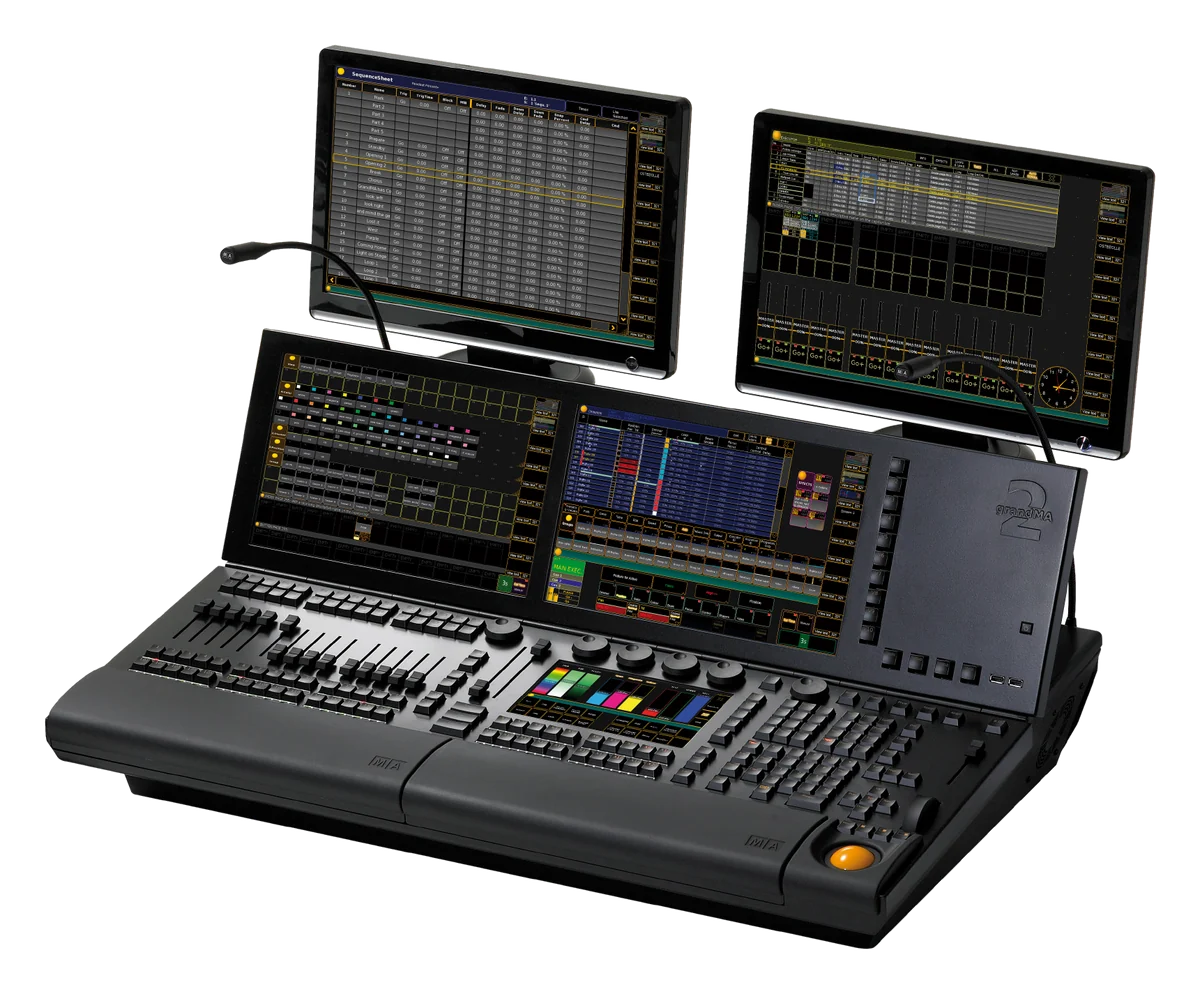
The grandMA2 light is the mid-size console of the grandMA2 range. MA Lighting describes it as a full-size with fewer faders and screens. It has 15 motorized executor faders and two built-in touchscreens. Otherwise, its features and controls match the full-size. Showcaller AI connects to the console through the Bridge App on your show network. Then it runs playback by voice or chat. The MA Lighting grandMA2 integration page lists every function.
Fifteen faders, many pages
With 15 physical faders, a grandMA2 light show often spreads across several executor pages. That is where a voice request saves time. For example, ask Showcaller to switch to page 4, or to set executor 12 on page 3 to 50 percent. You can also press Go or Off on any executor by page and number. These executor and page functions come with the Pro plan. After a page change, Showcaller reads the active page back from the console. So you know the desk is on the page you asked for.
The grandMA2 light as a backup console
MA Lighting suggests the light as a standalone console or as a backup for a full-size. In either role, Showcaller talks to the console whose IP address you give it. Every plan covers sequence playback. So you can fire Go, jump to a cue, step back, pause or turn a sequence off. You can also run a macro by number. In addition, Enterprise adds the command line for anything else. Macros, command-line use and Off commands always wait for your confirmation.
Read-back on the grandMA2 light
Showcaller reads the console’s reply to each command. Therefore Showcaller reports a refused command as a failure, not a success. However, it cannot read playback state yet. So it reports a Go or a fader move as accepted, not as seen on stage. For full specs, see MA Lighting’s grandMA2 light page.
What you can do
Run the MA Lighting grandMA2 light by voice or chat
Any executor, any page
Press Go or Off on an executor chosen by page and number. Or set its fader from 0 to 100 percent. Pro.
Page switching with read-back
Switch the active executor page by voice. Showcaller reads the page back from the console to confirm it. Pro.
Cue playback in every plan
Fire Go, jump to a cue number, step back a cue, pause or resume a sequence, or turn it off. Starter.
Macros and the command line
Run a stored macro by number (Starter). Or type any grandMA2 command (Enterprise). Both wait for your confirmation.
Specifications
MA Lighting grandMA2 light at a glance
Control
- Parameters
- 4,096 HTP/LTP; up to 65,536 per session with MA NPUs (256 DMX universes)
- Executor faders
- 15 motorized executor faders; more with a grandMA2 fader wing
- Master faders
- 2 motorized A/B faders, 100 mm
- Screens
- 2 internal 15.4 inch touchscreens, 1 internal 9 inch multi-touch command screen, 2 external screens via DVI
Connections
- DMX
- 6 x DMX out, 1 x DMX in (5-pin XLR)
- Network
- 2 x etherCON
- Other I/O
- MIDI in and out, SMPTE (LTC) in, sound in, analog remote (25-pin Sub-D), 5 x USB 2.0, MA Link for the fader wing
Physical
- Power
- 120/230 V, 50/60 Hz, 350 VA; built-in UPS
- Size and weight
- 935 x 204 x 652 mm (36.8 x 8 x 25.7 in); 37 kg (81.6 lb)
- Status
- Discontinued; listed in MA Lighting's product archive
Specifications from the manufacturer. Check the product page for the current details.
Connection
Connecting the MA Lighting grandMA2 light
- Control protocol
- Telnet command line on port 30000, sent over your show network through the Showcaller Bridge App
- What Showcaller needs
- The station's IP address, plus a user name and password from the show file. By default that is "administrator" with no password.
- Console setup
- In Setup > Console > Global Settings, set Telnet to "Login Enabled". The computer running the Bridge App must reach the console on the same network.
- Console software
- grandMA2 software 3.x
- First check
- After connecting, Showcaller runs Get status. It checks that the console is on the network and accepts the saved login.
Tool Functions
Everything Showcaller can do with MA Lighting grandMA2
The MA Lighting grandMA2 light uses the MA Lighting grandMA2 integration. Each group shows the plan it is included from.
FAQ
Questions about the MA Lighting grandMA2 light
Can Showcaller reach executors that are not on the current page?
Yes. You name the page and the executor number, and Showcaller presses Go or Off or sets the fader. This is part of the Pro plan.
How does Showcaller confirm a page change on a grandMA2 light?
After switching, it reads the active executor page from the console. It reads it for the user Showcaller logs in as.
Does it confirm that cues ran?
No. Showcaller reports any command the console refuses. However, it cannot read playback state from a grandMA2 yet. So it reports a Go as accepted, not as seen on stage.
What is different from the grandMA2 full-size?
The light has 15 executor faders instead of 30, and two built-in touchscreens instead of three. MA Lighting lists 4,096 parameters instead of 8,192. Showcaller's functions are the same on both.
Same integration
Other MA Lighting grandMA2 models
 grandMA2 FullsizeModel page
 grandMA2 onPCModel page