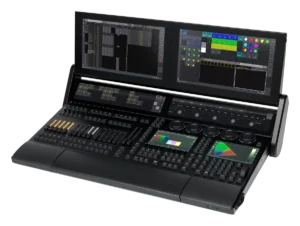
MA Lighting grandMA3 full-size
Showcaller AI sends playback commands to a grandMA3 full-size by voice or chat. It fires sequences and cues, presses executors and sets faders. Commands are sent over OSC, which is one-way, so they are not confirmed by the console.
Overview
The MA Lighting grandMA3 full-size with Showcaller
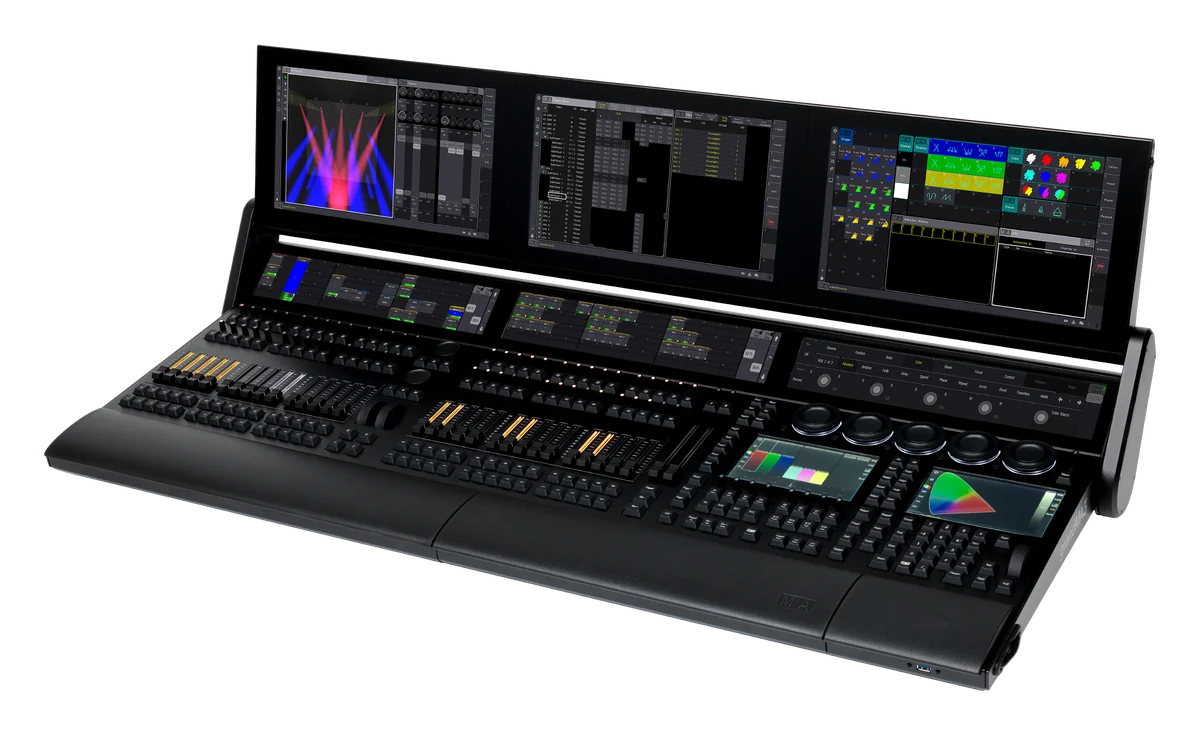
The grandMA3 full-size is MA Lighting’s flagship console. MA lists 30 motorized faders, 120 separate playbacks and 16 assignable x-keys. It also has three letterbox screens for playback feedback. Showcaller AI sends commands to the console through the Bridge App on your show network. So a busy operator can call cues by voice or chat. The MA Lighting grandMA3 integration page lists every function.
Playback on the grandMA3 full-size
With 120 playbacks, the full-size gives you a lot of executors to reach. For example, ask for Go on sequence 4, or a jump to cue 12. You can also step back a cue, pause a sequence or turn it off. These sequence functions come with every plan, and so do macros by number. Then, with Pro, Showcaller presses Go or Off on an executor you name by page and number. It also moves an executor’s master fader from 0 to 100 percent, and switches the executor page. For anything else, Enterprise adds the command line.
Sent, not confirmed
Showcaller talks to the grandMA3 through the console’s OSC input. However, OSC on the grandMA3 is one-way, because the console does not answer. So Showcaller can tell you that it sent a command. Yet it cannot tell you that the console acted on it. It says so in its reply, instead of claiming that a cue ran. This applies to every grandMA3 function, including page changes. Therefore, keep an eye on the desk or the stage, as with any one-way remote.
Safety on a grandMA3 full-size
Some commands can take a whole look off stage. So Showcaller asks you before it runs a macro or sends a command-line instruction. It also asks before it turns a sequence or an executor off. Meanwhile, Go, page and fader requests run straight away. For full specs, see MA Lighting’s grandMA3 full-size page.
What you can do
Run the MA Lighting grandMA3 full-size by voice or chat
Cues by voice
Send Go on a sequence or jump to a cue number. Step forward or back, pause a sequence or turn it off. Starter.
Executors by page and number
Send Go or Off to an executor, or set its master fader from 0 to 100 percent. Switch the executor page. Pro.
Macros and command line
Run a stored macro by number (Starter) or send any command-line instruction (Enterprise). You confirm each one first.
Honest about one-way OSC
The grandMA3 does not reply to OSC. Showcaller reports a command as sent, never as confirmed on the console.
Specifications
MA Lighting grandMA3 full-size at a glance
Control
- Parameters
- 20,480 HTP/LTP (8,192 in grandMA2 mode); up to 250,000 per session with grandMA3 processing units
- Playback
- 30 backlit motorized 60 mm faders, 120 separate playbacks, 16 assignable x-keys, 2 motorized A/B faders (100 mm)
- Encoders
- 71 rotary RGB backlit encoders, 5 backlit dual encoders, 2 level wheels, 2 single encoders
- Screens
- 3 foldable multi-touch screens, 3 letterbox multi-touch screens, 2 multi-touch command screens; 2 external screens via DisplayPort 1.2
Connections
- DMX
- 6 x DMX512-A out, 1 x DMX512-A in (5-pin XLR)
- Network
- 3 x etherCON/RJ45
- Other I/O
- MIDI in and out, LTC timecode in, audio in, GPI (DE9), 2 x S/PDIF, 3 x USB 2.0, 3 x USB 3.0
Physical
- Power
- AC 100-240 V, 50/60 Hz, max. 300 VA; built-in UPS
- Size and weight
- 1,256 x 539 x 181 mm folded (50 x 22 x 8 in); 44 kg (98 lb)
Software
- Software
- Runs grandMA3 or grandMA2 software (MA Lighting)
Specifications from the manufacturer. Check the product page for the current details.
Connection
Connecting the MA Lighting grandMA3 full-size
- Control protocol
- OSC commands to the console's command line, sent over your show network through the Showcaller Bridge App. OSC is one-way: the console does not reply.
- What Showcaller needs
- The IP address of the grandMA3 station and the port of its OSC input line (8000 by default).
- Console setup
- In Menu > In & Out > OSC, turn on Enable Input. Then set up an OSC line for input with "Receive Command" on, and leave the OSC prefix empty.
- Console software
- grandMA3 software 2.x
- First check
- After connecting, Showcaller runs Get status. It sends a harmless test message; the console does not reply, so this shows the message was sent, not that it arrived.
Tool Functions
Everything Showcaller can do with MA Lighting grandMA3
The MA Lighting grandMA3 full-size uses the MA Lighting grandMA3 integration. Each group shows the plan it is included from.
FAQ
Questions about the MA Lighting grandMA3 full-size
Does Showcaller confirm that a grandMA3 cue ran?
No. The grandMA3 does not reply to OSC commands. So Showcaller confirms the command was sent, not that the console acted on it. This differs from most Showcaller integrations, which read changes back.
Which executors can Showcaller reach on a grandMA3 full-size?
You name the page and the executor number. Showcaller sends Go or Off, or sets the executor's master fader. This is part of the Pro plan.
What do I set up on the console?
In Menu > In & Out > OSC, turn on Enable Input. Then add an OSC line for input with Receive Command on and no prefix. Give Showcaller the console's IP address and that line's port.
What needs my confirmation?
Running a macro, sending a command-line instruction and turning a sequence or executor off. Showcaller asks before it sends any of these.
Same integration
Other MA Lighting grandMA3 models
 grandMA3 LightModel page
 grandMA3 onPCModel page