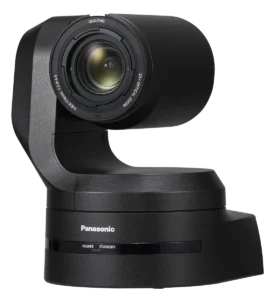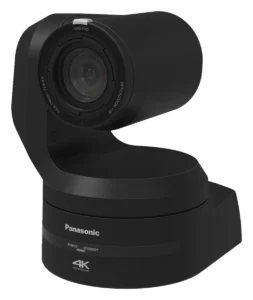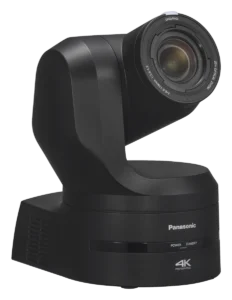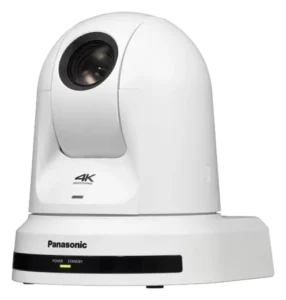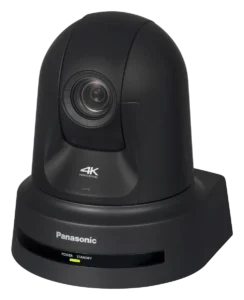
Panasonic AW-UE100
The AW-UE100 is a 4K PTZ camera with NDI High Bandwidth, NDI|HX2 and SRT built in. Showcaller AI runs it by voice or chat over one LAN cable. It covers presets, pan, tilt and zoom, focus, iris and the camera's stream settings.
Overview
The Panasonic AW-UE100 with Showcaller
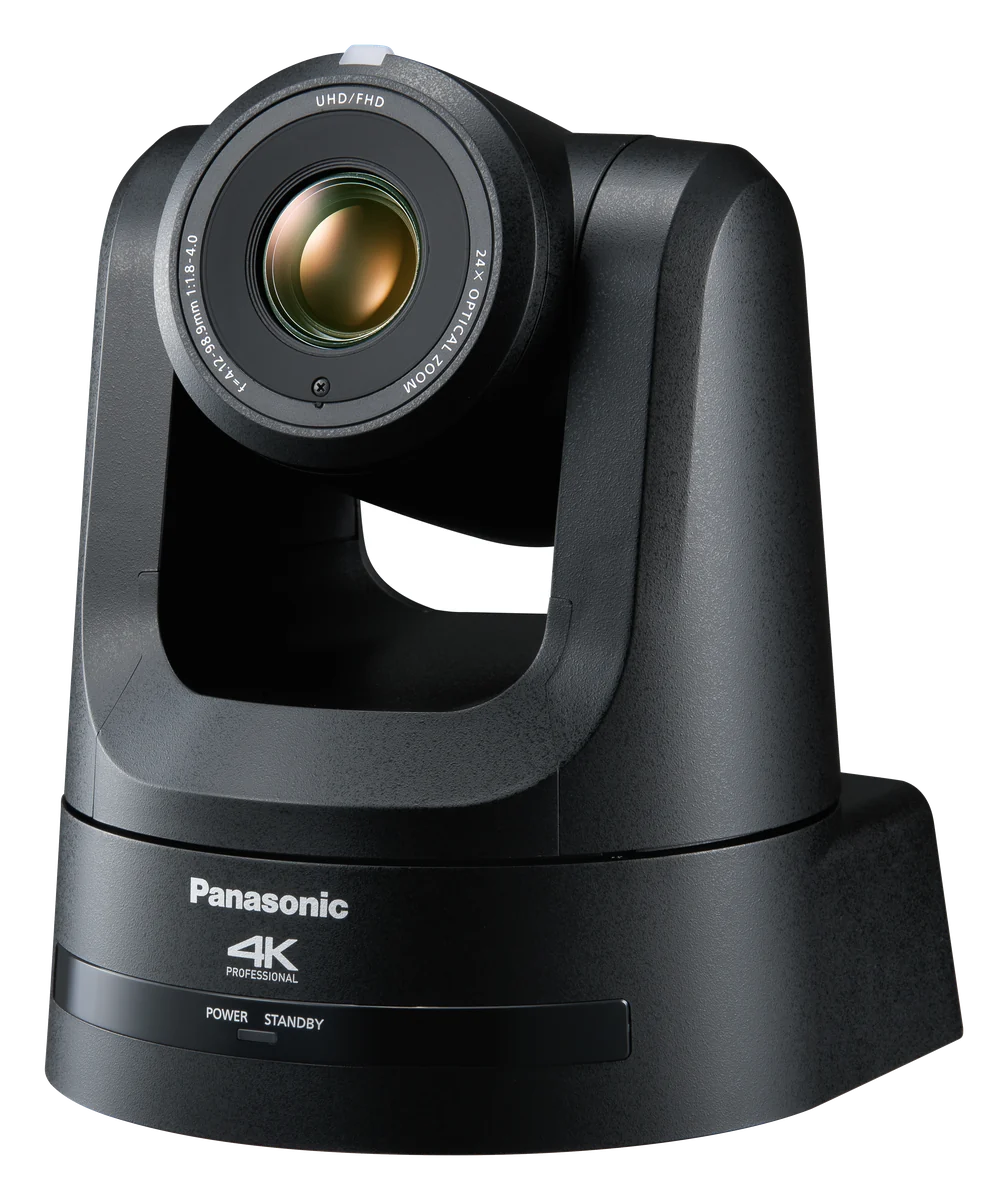
The Panasonic AW-UE100 is a 4K PTZ camera with a 1/2.5-type 4K MOS sensor and a 24x optical zoom. It outputs 12G-SDI, 3G-SDI and HDMI. Over IP, it streams H.264, H.265, SRT, RTMP and MPEG2-TS over UDP. It also includes NDI High Bandwidth and NDI|HX2 as standard. NDI|HX2 needs firmware 1.56 or later. In addition, one LAN cable can carry control, video and PoE++ power. Showcaller AI runs the Panasonic AW-UE100 by voice or chat over that same network.
How Showcaller connects to the Panasonic AW-UE100
Showcaller connects through the Showcaller Bridge App, a small app on a computer on the show network. It sends Panasonic’s own IP control commands over HTTP, on port 80 by default. Then the operator asks in plain words, by voice or in chat. For example, they can say camera 2, recall preset 4 or send camera 1 home. They can also say pan left slowly and then stop. Before it stores a preset, Showcaller asks the operator to confirm. After a move or a mode change, it reads the camera’s state back where the camera reports it.
Streaming modes on the AW-UE100
The UE100 supports every streaming mode that Showcaller can switch. That covers H.264, H.265, RTMP, SRT, MPEG-TS over UDP and NDI. First, Showcaller can read the modes, resolutions and frame rates the camera reports. Then it can switch the mode, set the NDI source name and group, and change bitrate, frame rate or resolution. Every stream change waits for the operator to confirm it. Note one limit from Panasonic: the camera does not send 4K in NDI|HX2 mode. So for a 4K NDI feed, choose NDI High Bandwidth instead.
Tool Functions by plan
Starter covers camera status, presets 1 to 100, home and exact positioning, and reboot. It also covers every stream read. Pro adds pan, tilt and zoom at a chosen speed. It also adds focus and iris modes and the iris level. In addition, Pro adds stream mode, codec, NDI, bitrate, frame rate and resolution. Enterprise adds manual focus pulls, tally on or off and extra stream profiles. Each plan applies in full to the Panasonic AW-UE100. The Panasonic PTZ integration page lists every function. For full specs, see Panasonic’s AW-UE100 product page.
What you can do
Run the Panasonic AW-UE100 by voice or chat
Presets and exact positions
Recall or store presets 1 to 100, send the camera home or move it to an exact pan and tilt position (Starter). Storing a preset is confirmed with you first.
Pre-show camera check
Read the model, firmware, serial number, lens position, tally state and the last recalled preset before doors open (Starter).
Pan, tilt and zoom by voice
Pan, tilt and zoom at a chosen speed until you say stop (Pro). Switch focus and iris between auto and manual and set the iris level (Pro).
NDI, SRT and MPEG-TS from one request
Switch between H.264, H.265, RTMP, SRT, MPEG-TS over UDP and NDI, then set bitrate, frame rate and resolution (Pro). Each stream change is confirmed first.
Focus pulls and tally
Pull focus near or far in manual focus, and turn tally on or off (Enterprise).
Specifications
Panasonic AW-UE100 at a glance
Camera
- Image sensor
- 1/2.5-type 4K MOS x 1
- Lens
- Motorized 24x optical zoom, F1.8 to F4.0 (35 mm equivalent 25.0 mm to 600.0 mm)
- Zoom
- 24x optical; i.Zoom UHD 28x, FHD 36x; digital 1.4x, 2x
Video output
- Outputs
- 12G-SDI, 3G-SDI, HDMI 2.0 (4:2:2/10-bit)
IP streaming
- Streaming modes
- JPEG (MJPEG), H.264, H.265, NDI High Bandwidth, NDI|HX2 (firmware 1.56 or later; no 4K in NDI|HX2)
- Protocols (IPv4)
- Includes RTSP, RTP/RTCP, RTMP, RTMPS, SRT, MPEG2-TS over UDP
Control & network
- LAN
- RJ-45 for IP control and video, 100BASE-TX/1000BASE-T; PoE++ (IEEE 802.3bt)
Pan-tilt head
- Pan / tilt range
- Pan ±175°, tilt -30° to 210°
- Pan / tilt speed
- 0.08°/s to 60°/s (normal); Fast1 90°/s, Fast2 180°/s
Physical
- Dimensions (W x H x D)
- 169.2 x 204.6 x 170.6 mm (excluding protrusions, cable cover, bracket)
- Weight
- Approx. 2.2 kg (4.84 lb), excluding cable cover and bracket
- Power
- 12 V DC from the supplied AC adaptor (3.0 A) or PoE++ (1.0 A)
From Panasonic
- Product pageOfficial product page and full specificationspro-av.panasonic.net (opens Panasonic’s site in a new tab)
- Support and downloadsFirmware, software and manualseww.pass.panasonic.co.jp (opens Panasonic’s site in a new tab)
- DatasheetPDF from the manufacturerpro-av.panasonic.net (opens Panasonic’s site in a new tab)
Specifications from the manufacturer. Check the product page for the current details.
Connection
Connecting the Panasonic AW-UE100
- Control protocol
- Panasonic's own IP control commands over HTTP, sent by the Showcaller Bridge App. The Bridge App runs on a computer on the same network as the camera.
- Port
- 80 by default, the camera's web port. Only change it if the camera uses a different port.
- Camera connection
- The camera's LAN (RJ-45) port for IP control, on the same network as the Bridge App computer.
- What Showcaller asks for
- The camera's IP address and port. It asks for the camera's username and password only if camera authentication is on.
- Model family in Showcaller
- AW-UE100 (model tag UE100)
- Connection check
- Get camera info reports the model name, firmware version, serial number and MAC address. Get stream mode then reports the current streaming mode.
Tool Functions
Everything Showcaller can do with Panasonic PTZ
The Panasonic AW-UE100 uses the Panasonic PTZ integration. Each group shows the plan it is included from.
FAQ
Questions about the Panasonic AW-UE100
Can Showcaller switch the AW-UE100 between NDI and SRT?
Yes, on the Pro plan. It switches the streaming mode between H.264, H.265, RTMP, SRT, MPEG-TS over UDP and NDI. It asks you to confirm each stream change first.
Why can I not get 4K over NDI|HX2 on the AW-UE100?
Panasonic does not support 4K output in NDI|HX2 mode on this camera. Use NDI High Bandwidth for a 4K NDI feed.
Can Showcaller pull focus on the AW-UE100?
Yes, on the Enterprise plan. Switch focus to manual first, which is on Pro. The camera ignores focus pulls while auto focus is on.
Can Showcaller power the AW-UE100 on or off?
No. Showcaller has no power on or off function for Panasonic cameras. It can reboot a camera after you confirm it. Video and control drop while the camera restarts.
Which Showcaller plan do I need?
Starter has 27 Tool Functions: camera status, presets, home and exact positioning, reboot and every stream read. Pro adds 17 more for pan, tilt and zoom, focus and iris modes, the iris level and stream settings. Enterprise adds 8 more for manual focus pulls, tally and extra stream profiles. Each plan includes the Tool Functions of the plans below it.
Same integration
Other Panasonic PTZ models
 AW-HE145 / AW-HE130Model page
 AW-UE150 / AW-UE150AModel page
 AW-UE160Model page
 AW-UE30 / AW-UE20 / AW-UE4Model page
 AW-UE80 / AW-UE50 / AW-UE40Model page
 AW-UR100Model page